Groups in Communitrak let residents organize around shared interests, committees, or responsibilities. From the Groups page, you can see the groups you belong to, browse other groups in your community, and join, request to join, or leave a group.
Residents can browse and join groups by default. This requires the View Member Groups permission. Some options may be unavailable or appear differently depending on your level of account access.
Log in to Communitrak at https://app.communitrak.com.
In the main navigation menu, expand Members & Groups and click Member Groups.
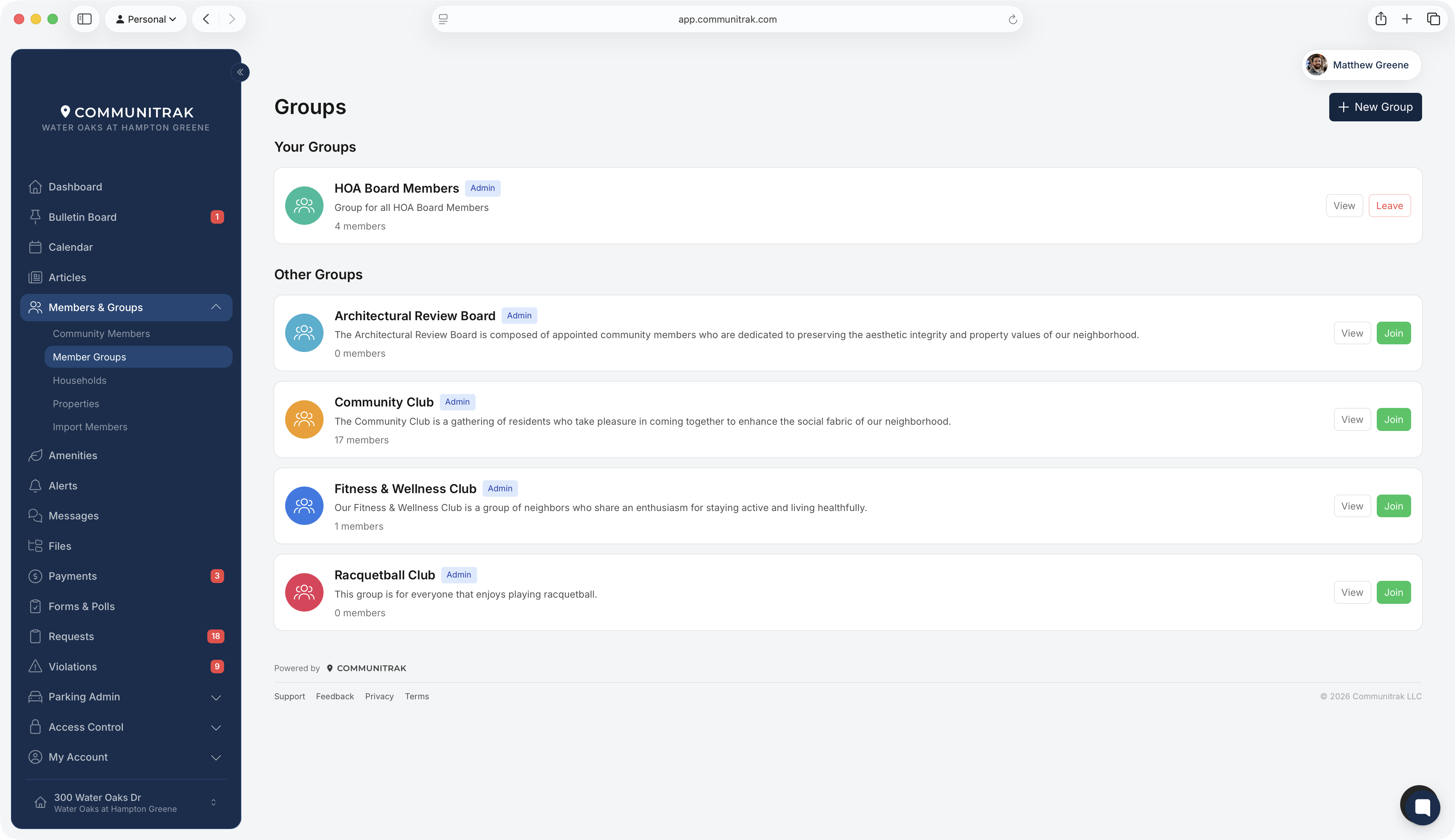
The Your Groups section lists every group you belong to. Each card shows the group's name, a short description, and how many members it has. Click the member count to see who's in the group.
Each card has two buttons:
View opens the group's page.
Leave removes you from the group after you confirm. Some groups don't let members leave on their own. If you don't see Leave, ask one of the group's admins to remove you.
The Other Groups section shows groups you haven't joined. Each card shows one of these:
Join appears on public groups. Click it and you're in.
Request to Join appears on private groups that accept requests. A group admin reviews your request and approves or declines it.
Cancel Request appears after you've sent a request and are waiting for an answer. The card also shows a Requested badge.
Invitation only appears on private groups that don't accept requests. A group admin has to add you.
Public groups also have a View button, so you can look around a group before joining. You can join from its page too, with Join Group. A private group's page opens only once you're a member.
A group's page has five tabs: Bulletin Board, Members, Calendar, Photos, and Files. Once you join, the group's content also shows up in the rest of Communitrak:
Bulletin Board: posts shared with the group appear on the main Bulletin Board, tagged with the group's name. If the group lets members post, you can share a post with it from the Bulletin Board or from the group's Bulletin Board tab. Some groups limit posting to their admins, hold posts for a group admin to approve, or turn off likes and comments.
Calendar: the group's events appear on the main Calendar, with a toggle for the group under Calendars.
Files: the group's folders appear under Member Groups on the Files page, and on the group's Files tab. If the group allows it, you can upload files there too.
Photos: any group member can add photos and create albums on the group's Photos tab.
Messages: if the group keeps a shared message history, such as a board or committee, it appears under Group Inboxes in Messages.
When a group admin approves or declines your request, you get a notification in Communitrak and an email. If an admin adds you to a group directly, there's no notification; the group appears in Your Groups.
Some private groups, like an HOA Board, let anyone see their member list without joining. If the member count on the card is a link, you can click it to see who's in the group.
When you leave a group, you lose access to its posts, files, and shared message history, including messages you wrote to the group.
If you start a group or someone makes you a group admin, see the article on creating and managing member groups.
If you have questions or need help, chat with Communitrak Support from any page using the messenger icon in the bottom-right corner.
