Rather than creating a monthly board meeting twelve times, set the event to repeat. Repeating works on community, group, and amenity calendars.
Repeating is part of the event form, so it is available to anyone who can create events: the Create Calendar Event permission for community and group calendars, or Create Amenity Calendar Event for amenity calendars. Changing a repeating event later takes Edit Calendar Event or Edit Amenity Calendar Event, and removing dates takes the matching delete permission. Some options may be unavailable or appear differently depending on your level of account access.
While creating the event, check Repeat this event. You can also edit a one-time event later and check it there.
Set Repeats to Daily, Weekly, Monthly, or Yearly, and use Every to set the gap between dates. For example, Weekly with Every set to 2 means every other week.
For weekly events, pick the days under On these days. You can select more than one, for example Monday and Wednesday.
For monthly events, choose On day 15 to use the date, or On the last Friday to use a weekday position. The exact wording follows your start date.
Choose when it Ends: Never, On a specific date, or After a set number of occurrences (between 2 and 400).
Click Create Event.
A summary line under the options describes the schedule in plain language as you build it, for example "Every 2 weeks on Monday and Wednesday, until December 31, 2026, starting August 3, 2026. About 22 events."
Events that repeat show a small circular arrows icon on the calendar grid so you can spot them at a glance.
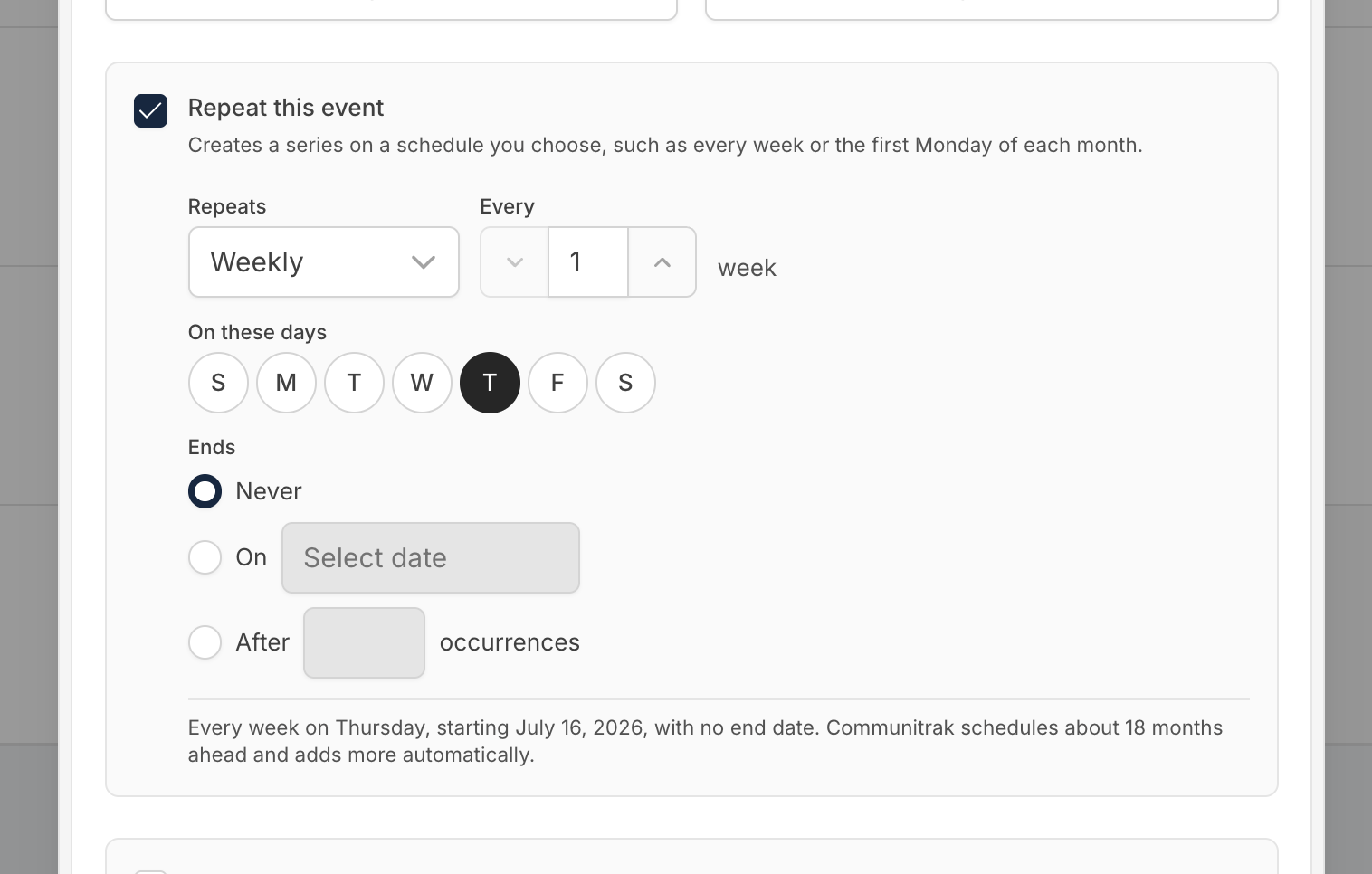
Events that never end keep going, up to 400 dates. Communitrak schedules about 18 months ahead (six months for daily events) and adds more dates automatically. A series stops after 400 dates in total, so a weekly meeting runs for more than seven years, but an event every weekday stops after about a year and a half. The summary line tells you roughly when that will be, and the member who created the event gets a notification when it happens. To keep it going, create a new series starting after the last date.
Monthly events skip months that are too short. An event on the 31st does not occur in months without a 31st, rather than moving to the 28th or 30th. Those skipped months do not count toward an "After N occurrences" limit.
An event repeating every single day needs an end. Choose an end date or a number of occurrences. If you want something on weekdays only, use Weekly and select Monday through Friday.
Yearly events on February 29 only occur in leap years.
Times stay put. A 7:00 PM weekly event stays at 7:00 PM year round, including across daylight saving changes.
The event can't be longer than the gap between repeats. A three-day event cannot repeat every two days, because the copies would overlap.
Amenity events that block reservations block every date. A recurring "Pool closed Mondays 9-11 AM" prevents new reservations on every one of those Mondays.
When you save changes to an event that repeats, or click Delete on one, Communitrak asks which dates you mean:
This event: only the date you opened. The rest of the series is unchanged.
This and following events: this date and every date after it. Earlier dates stay as they are.
All events: every date in the series, past and future.
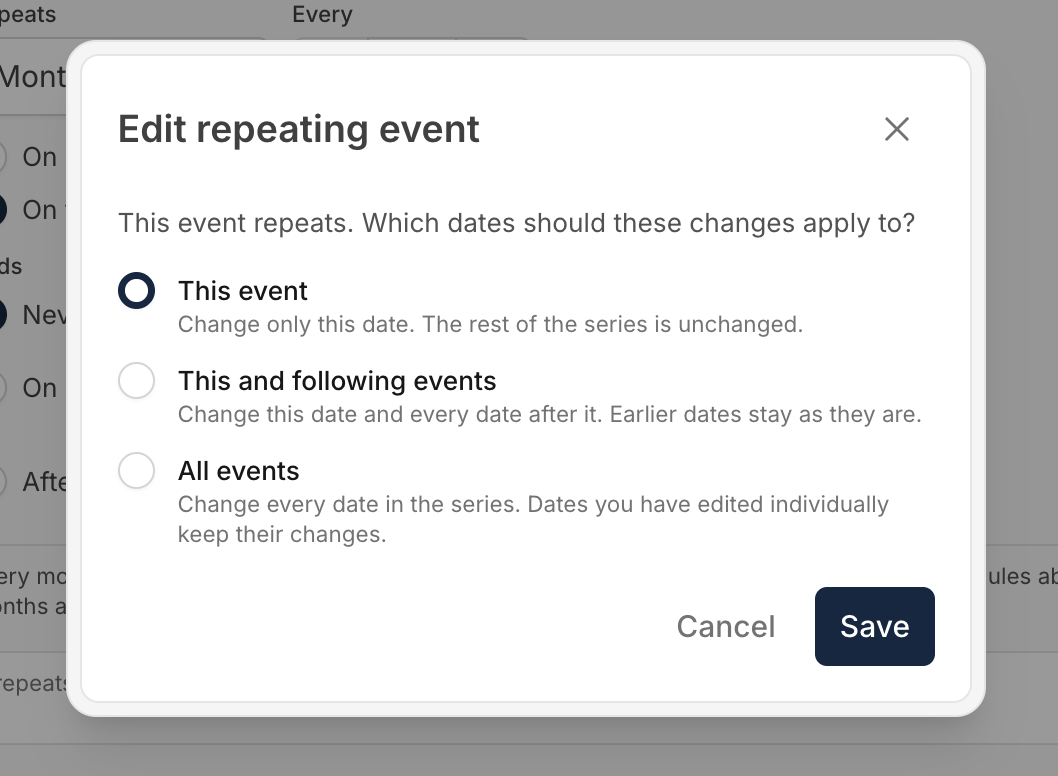
If you change a single date on its own, that date keeps its changes. Later edits made to This and following events or All events leave it alone, and the details dialog marks it with "This date has been changed from the rest of the series." That way a one-off change of venue or time is never quietly overwritten. Deleting with All events does remove it, along with the rest of the series.
The repeat rule belongs to the whole series, so it cannot be changed for one date. If you change the repeat settings while editing, This event is unavailable when you save. Choose This and following events or All events instead.
Changing the schedule moves dates around, so RSVPs on the future dates it replaces are removed, and those members are told to respond again. Dates you changed on their own keep theirs.
The Repeat this event box can't be unchecked on an event that already repeats. To stop a series, edit its end date with All events, or delete the dates you no longer need with This and following events.

Members who answered Going or Maybe are told when the event is canceled, its date, start time, or location changes, or its repeat schedule changes. They receive one message covering the whole change, not one per date.
If you have questions or need help, chat with Communitrak Support from any page using the messenger icon in the bottom-right corner.
